“Zsh isn’t just a shell—it’s your terminal’s upgrade to first class.” If you’re someone who spends time in the terminal—whether you’re a developer, a student learning CLI, or a curious explorer—your shell environment is more than just text on black. It’s your workspace, your command center, your vibe.
What is Zsh?#
Zsh (Z Shell) is a powerful, interactive shell and scripting language for Unix-like systems. It’s like Bash’s cooler, more customizable sibling—think of it as Bash after a glow-up.
If you’ve ever typed the same long command 3 times, wished your terminal could autocomplete intelligently, or wanted your CLI to just feel aesthetic, Zsh is what you’re looking for.
Why Choose Zsh?#
Let’s be honest—Bash is everywhere, but Zsh is a productivity and vibe booster. Here’s why:
1. Autocompletion that’s actually helpful#
Zsh offers powerful tab completion out of the box. You type gi<TAB>, and boom—git and its subcommands show up in style.
2. Spelling correction#
Mistyped a command? Zsh politely asks, “Did you mean…?” It’s like autocorrect, but helpful.
3. Better history navigation#
Search your command history with just a few keystrokes. Press Ctrl+R, and it’s like magic—your previous commands are right there.
4. Themeable and Beautiful (thanks to Oh My Zsh)#
You can customize Zsh with beautiful themes like agnoster, powerlevel10k, or your own handcrafted vibe. It’s terminal couture.
5. Plugin Ecosystem#
From syntax highlighting to autosuggestions, Zsh plugins make your terminal smarter.
Think of Zsh as the upgrade your terminal didn’t know it needed.
How to Install Zsh#
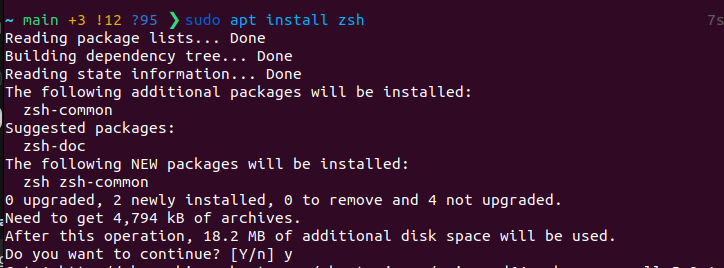
Step 1: Install Zsh#
First run: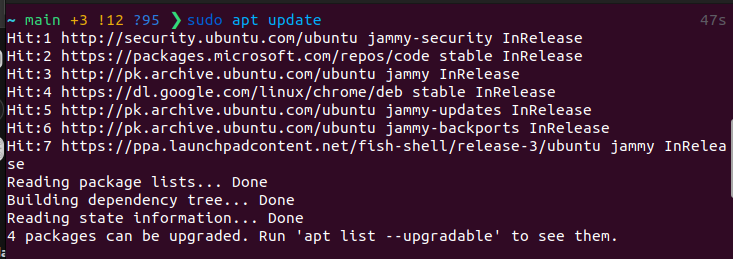
Oh My Zsh — The Zsh Framework That Changes Everything#
Install it with one command: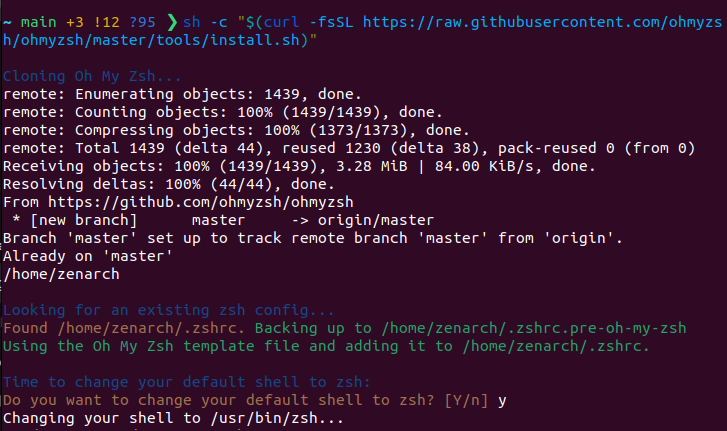
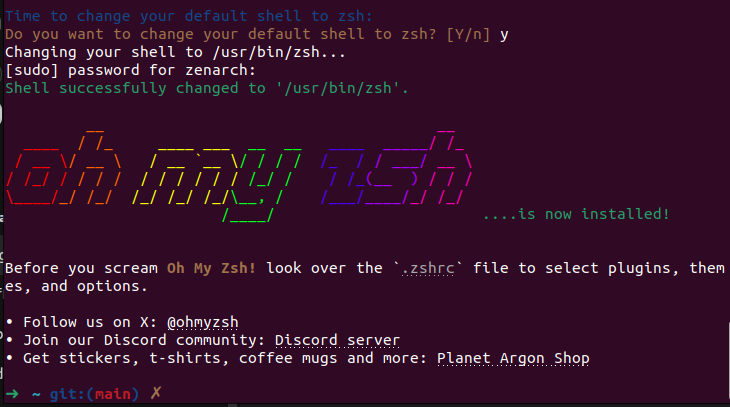
You’ll now have access to:
Over 300+ plugins
140+ themes
Ease of configuration
Customize it via your ~/.zshrc file . That’s your Zsh control center.
Customize Your Shell Vibe#
Set Your Theme#
Open your .zshrc file:
nano ~/.zshrc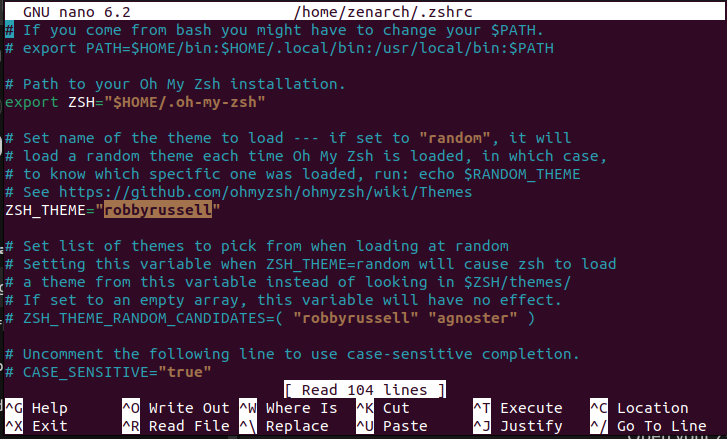
- Note: I’m using robbyrussell theme as it is. If you want to change it, follow the below guidelines:
Find the line:
ZSH_THEME="robbyrussell"Change it to something like:
ZSH_THEME="agnoster" # or "powerlevel10k" (recommended)Want powerlevel10k? Install it:
git clone --depth=1 https://github.com/romkatv/powerlevel10k.git ${ZSH_CUSTOM:-$HOME/.oh-my-zsh/custom}/themes/powerlevel10kThen set:
ZSH_THEME="powerlevel10k/powerlevel10k"Restart your terminal. You’ll be guided through a beautiful setup wizard.
Useful Plugins to Add#
Inside your .zshrc, find the plugins=(…) line. Add these:
plugins=(git z zsh-autosuggestions zsh-syntax-highlighting)Quick Setup Guide:#
- Zsh Autosuggestions
git clone https://github.com/zsh-users/zsh-autosuggestions ${ZSH_CUSTOM:-~/.oh-my-zsh/custom}/plugins/zsh-autosuggestions- Zsh Syntax Highlighting
git clone https://github.com/zsh-users/zsh-syntax-highlighting.git ${ZSH_CUSTOM:-~/.oh-my-zsh/custom}/plugins/zsh-syntax-highlightingThen restart your terminal or run:
source ~/.zshrcMini Productivity Pack#
- Alias magic: Shorten your life’s work into 2-letter commands in .zshrc. Your .zshrc is your magic spellbook. Add some aliases to save time:
alias gs='git status'
alias gaa='git add .'
alias zshconfig='nano ~/.zshrc'
alias ..='cd ..'
alias ...='cd ../..'
You just created shortcuts for your future self.
Pro Tips (But Still Beginner Friendly)#
Fonts Matter: Install Nerd Fonts for icons and smooth glyphs.
Theme Match: Choose a terminal theme (like Dracula, One Dark, or Solarized) that pairs well with your Zsh theme.
Try a Plugin Manager: Tools like Zinit or Antidote let you manage plugins easily.
Final Thoughts: Make It Yours#
“Your terminal reflects your mind,customize it with intention.” — Zenarch
Zsh isn’t just about speed or looks—it’s about crafting an environment that feels like you. Whether you’re a coding wizard or just dipping your toes into tech, your terminal should feel like home.
So don’t settle for default. Upgrade. Customize.
Bonus: TL;DR Setup Checklist#
Here’s a quick summary of everything you need to get Zsh looking and working beautifully:
| Step | Command |
|---|---|
| Install Zsh | sudo apt install zsh |
| Set as default shell | chsh -s $(which zsh) |
| Install Oh My Zsh | sh -c "$(curl -fsSL https://raw.githubusercontent.com/ohmyzsh/ohmyzsh/master/tools/install.sh)" |
| Change theme | ZSH_THEME="powerlevel10k/powerlevel10k" (inside ~/.zshrc) |
| Add plugins | plugins=(git z zsh-autosuggestions zsh-syntax-highlighting) |